
If there is one thing I am pretty adamant about, it is that the Principal's primary role is to be the 'leader of learning'. To that end one of my real focus areas in my first term as Principal is to observe as much learning as I can in action. As many of you will know, at Albany Senior High School (ASHS) we have three strands to our curriculum - Tutorials, Specialist Subjects and Impact Projects.
You can read explanations of each part of the curriculum here:
Tutorials: http://ashs.school.nz/curriculum/tutorials
Specialist Subjects: http://ashs.school.nz/curriculum/specialist-subjects
Impact Projects: http://ashs.school.nz/curriculum/impact-projects
I came into the school knowing that I loved the curriculum design and the way that the time allocations clearly signalled the value of each element. What I did not know was how well each element (in their current form) was meeting the needs of each and every learner. And as in every school there is often a bit of a disconnect between our espoused theory and our theory in use. Whilst you could send out a google form gathering perceptions, nothing beats actually observing students and teachers in action.
As I was getting all David Attenborough on it and documenting everything I was seeing and hearing I thought it was only fair that I shared with our teachers the lens through which I observe learning. It actually took me a little while to define this for myself! So often we go into a classroom and we observe (and judge) based on our own set of biases and successes which have been formed by our own experiences. I'm actually okay with that, but it does pay to think abut how we have formed our theories and thinking. Mine, I realised had been formed by experiences in working and leading in so many different schools and environments. At Rangitoto College I was taught to be a learning designer with the expectation from day one that we each designed for our class and context (a department practice rather than a school wide one), at Takapuna Grammar I helped lead work around differentiation that focused on inclusive practice, at Auckland Girls Grammar I developed my understanding around the importance of culturally responsive approaches and it was at AGGS I also developed a love for teaching as inquiry and e-learning (through my MOE e-fellowship), at Team Solutions I developed my practice around leading leaders and at Epsom Girls Grammar School synthesise my skills around teaching as inquiry, e-learning, differentiation, leading leaders and ultimately leading change. And then of course I got to hone all of those skills further within an ILE context at HPSS.
All of that experience has meant that I tend to frame my lens on powerful learning based on three high level questions:
Is learning visible?

You can read explanations of each part of the curriculum here:
Tutorials: http://ashs.school.nz/curriculum/tutorials
Specialist Subjects: http://ashs.school.nz/curriculum/specialist-subjects
Impact Projects: http://ashs.school.nz/curriculum/impact-projects
I came into the school knowing that I loved the curriculum design and the way that the time allocations clearly signalled the value of each element. What I did not know was how well each element (in their current form) was meeting the needs of each and every learner. And as in every school there is often a bit of a disconnect between our espoused theory and our theory in use. Whilst you could send out a google form gathering perceptions, nothing beats actually observing students and teachers in action.
As I was getting all David Attenborough on it and documenting everything I was seeing and hearing I thought it was only fair that I shared with our teachers the lens through which I observe learning. It actually took me a little while to define this for myself! So often we go into a classroom and we observe (and judge) based on our own set of biases and successes which have been formed by our own experiences. I'm actually okay with that, but it does pay to think abut how we have formed our theories and thinking. Mine, I realised had been formed by experiences in working and leading in so many different schools and environments. At Rangitoto College I was taught to be a learning designer with the expectation from day one that we each designed for our class and context (a department practice rather than a school wide one), at Takapuna Grammar I helped lead work around differentiation that focused on inclusive practice, at Auckland Girls Grammar I developed my understanding around the importance of culturally responsive approaches and it was at AGGS I also developed a love for teaching as inquiry and e-learning (through my MOE e-fellowship), at Team Solutions I developed my practice around leading leaders and at Epsom Girls Grammar School synthesise my skills around teaching as inquiry, e-learning, differentiation, leading leaders and ultimately leading change. And then of course I got to hone all of those skills further within an ILE context at HPSS.
All of that experience has meant that I tend to frame my lens on powerful learning based on three high level questions:
- Is learning visible?
- Is learning deep?
- Is learning inclusive?
Is learning visible?
- Are learning objectives visible?
- Can students articulate what they are learning?
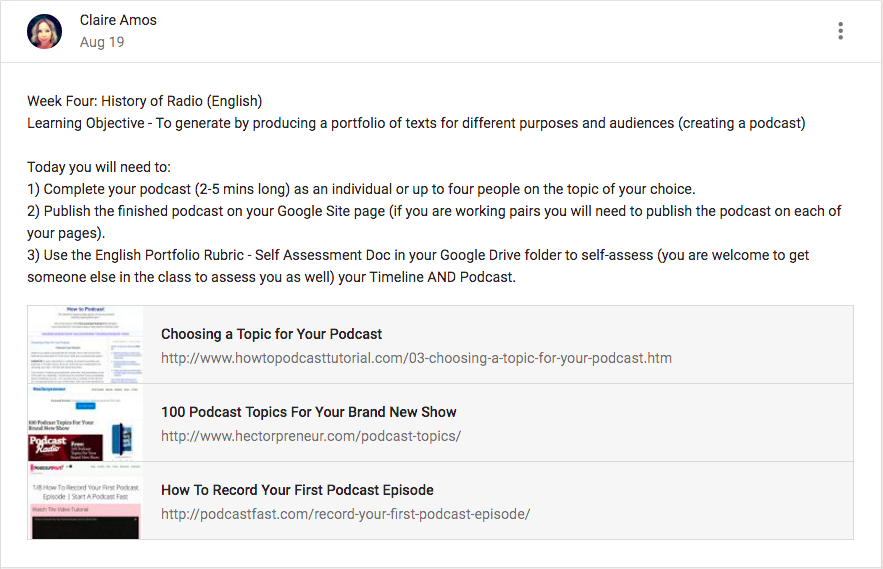
- Is Google Classroom being used every lesson?
- If a student is away can they follow learning?
- Is there success criteria (beyond achievement standards)?
- Do they have a frame for navigating next steps?
Examples of practice included:
Explicit use of Google Classroom (already the agreed LMS at ASHS)
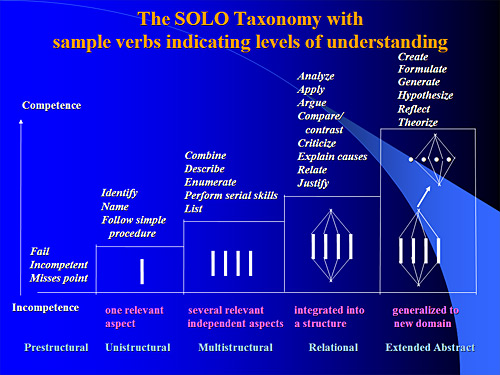
Frameworks that make cognitive next steps visible such as SOLO Taxonomy
Is learning deep?
- Do students know why they are learning what they are learning?
- Can they articulate how learning might be transferred beyond school?
- Is their learning connected?
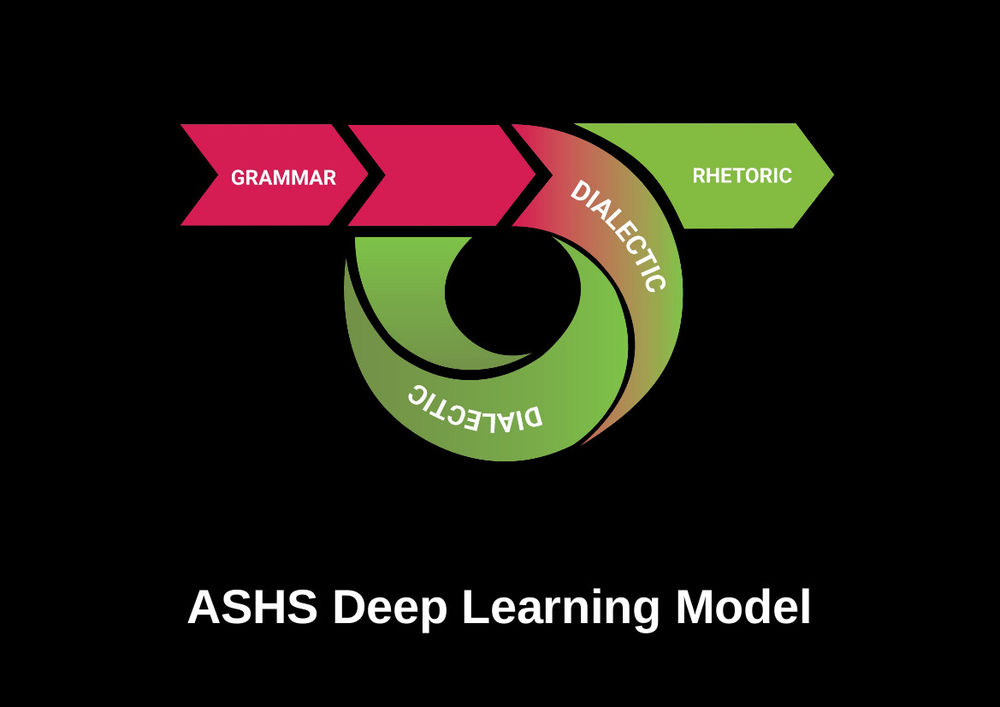
- Are they using the trivium model of learning to support deeper learning?
- Is there evidence of higher-order thinking skills?
Examples of practice included:
Evidence that the ASHS Deep Learning Model (Trivium) was being used
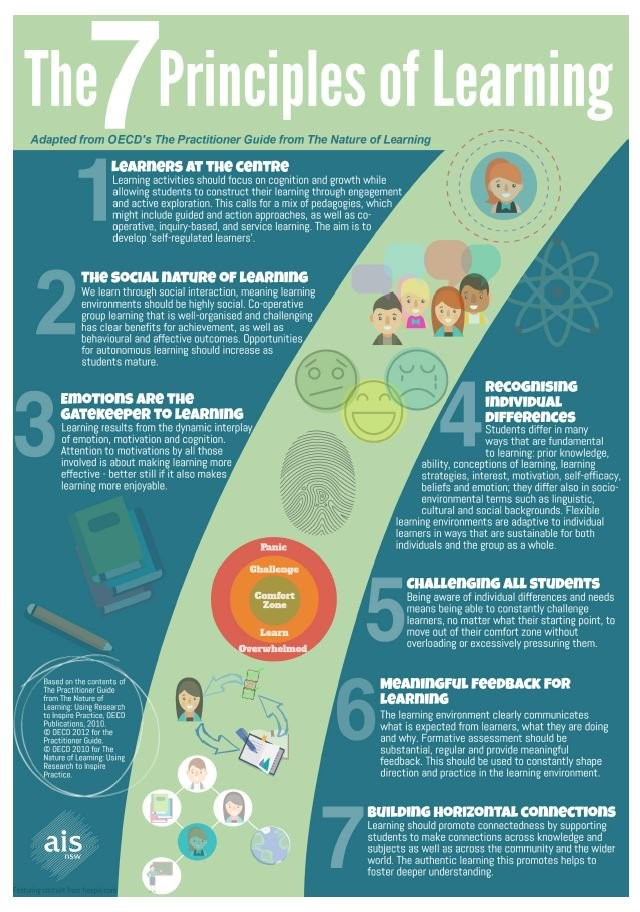
The (OECD) Seven Principles of Learning being evident
Is learning inclusive?
- Are there different modes for students to access learning?
- Are there different modes and strategies for students to process learning?
- Are there different modes and time frames for students to evidence learning and/or be assessed?
- Is there evidence of choice re: timing, assessments and topics?
Examples of practice included:
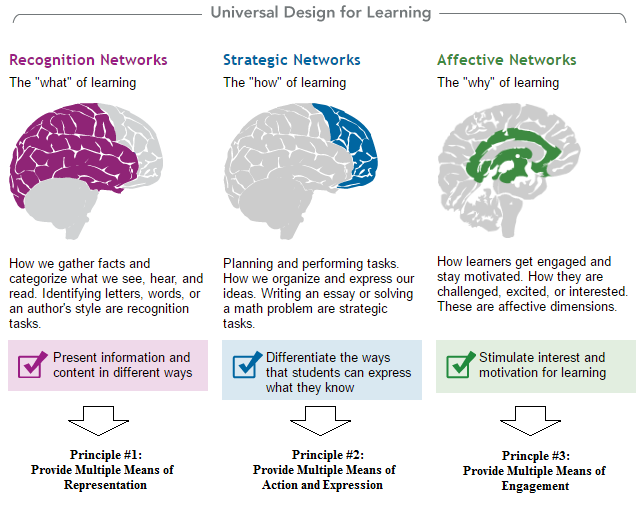
Evidence of Universal Design for Learning
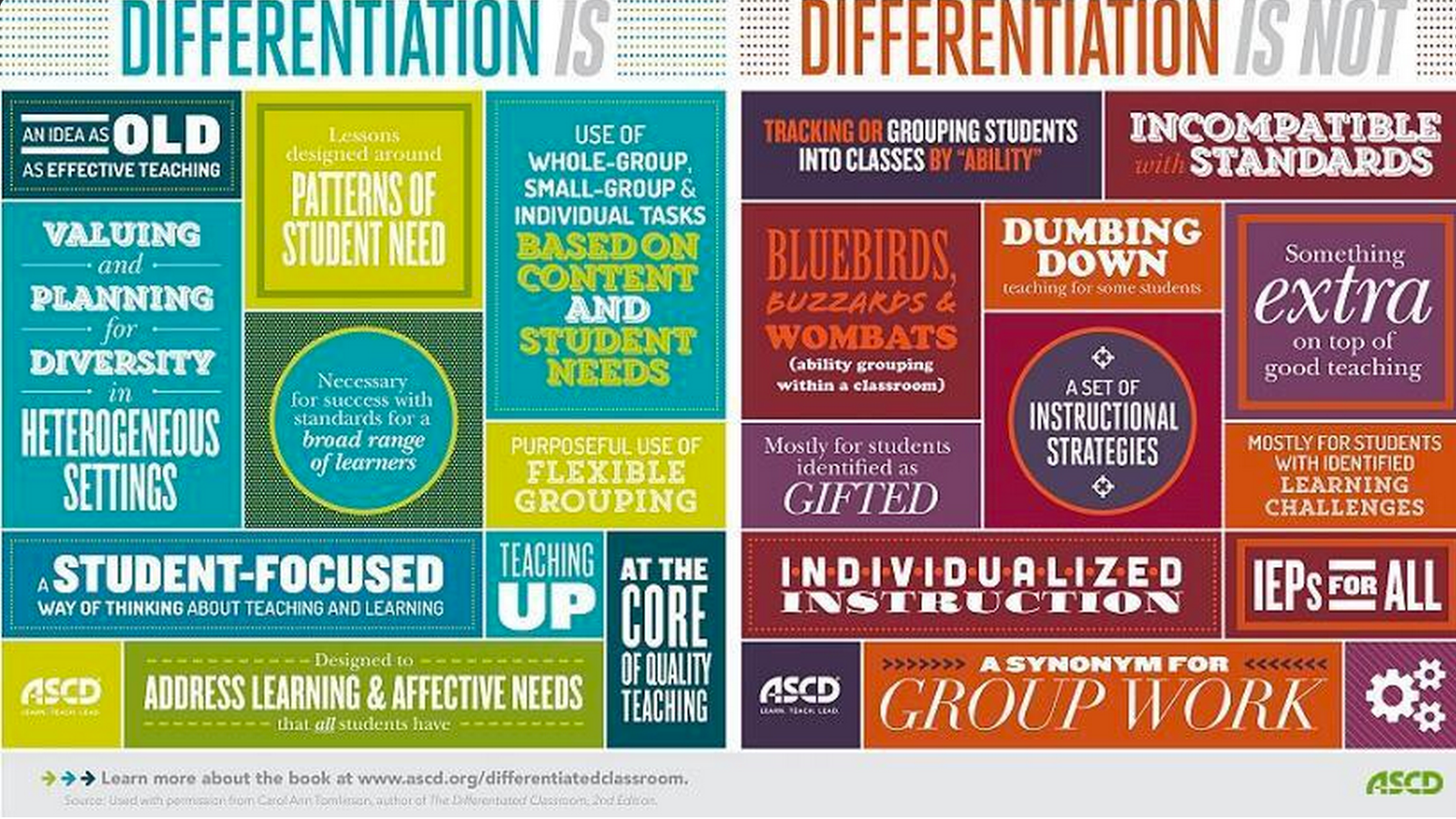
Or at least evidence of differentiation:
This was presented to the teaching staff as a presentation and as this summary document:

The teaching staff then had the opportunity to reflect on their own practice within the context of their own teaching. In groups they did a "quick and dirty" reflection spending 10 minutes using the following worksheets. The top row for capturing what they already do, the bottom row considering what they could be doing or doing more consistently.
So, what next?
I will be using this frame to gather evidence divided into 'Observations' and 'Opportunities' (for improvement and innovation). I have also encouraged anyone that wants to send through any of their own observations and opportunities as well. All of this will provide the basis for me to be able to work with the SLT to establish our priorities for 2019 and then plan for how we will work with the whole staff to develop and co-design strategic and then action plans for 2019 and beyond.
The ultimate aim being to lead meaningful and manageable change so as to ensure ASHS will always be a NEW school.
Will keep you posted how this all goes!
The following readings and resources were also shared:
Visible Learning
Deep Learning
Inclusive Learning


